Composer
About the App
Do you paint from life and use a viewer to help you compose? Various forms of viewers (both portable and stationary) have been used by artists for hundreds of years.
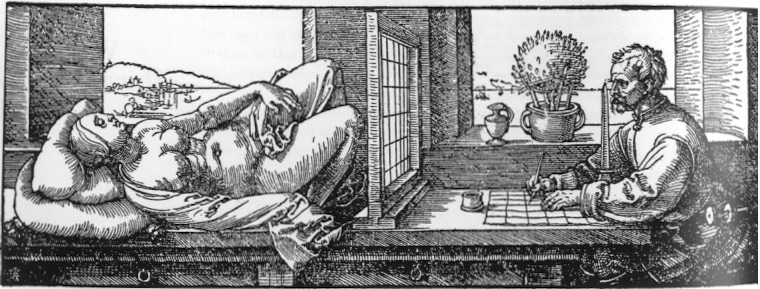
For most situations I use a very simple viewer which is just two right-angled pieces of thin plywood that I fit together to form an opening that is the same shape as my canvas. I use some butterfly clamps to hold it together and then I look at my motif through it. I use charcoal to make marks on the 4 sides of the rectangle such that it splits each side into 4 equal divisions. As I look through the viewer I have to imagine the grid that connects these hash marks on the edge of the viewer's frame. The imagined grid does NOT form squares. It creates a grid where each of the 16 rectangular sections has the same width/height ratio as the overall canvas. This method works for any canvas dimensions; you don't need to worry about the canvas dimensions working with a particular size square. I hold it up to the motif until I've framed in what I want to paint and then look at the marks I've made on the viewer edges to see where the major lines of the composition relate to them. I've marked off (often by eye, not using a ruler) similar marks on my canvas with charcoal or pencil and either draw lines or points where all the grid lines intersect. While holding the viewer I'll memorize a few lines and then will transfer that onto the canvas. Depending on how complex the arrangement is, I'll go back and forth doing this until I'm fairly certain I've gotten the basic placement that I want. Its a surprisingly good system especially if there are obvious forms like tree trunks, building walls or windows, or vertical edge of a still life object that relate to the grid's verticals and, of course, horizons, tree lines, table edges, etc will relate to the grid horizontals. I like to get less than a dozen main lines that get me started. From there I can use measuring techniques to check the placements or just start drawing with charcoal and I usually find that I can get the drawing correct enough to begin painting. The whole process takes 5 or 10 minutes once I've decided on the composition I want.
There are times when I've wanted a little more accuracy or some way of really seeing what the composition will be in two dimensions. For that I decided a phone app that I can use to take a picture of my subject along with cropping and gridding will give me a nice portable tool that gives me that extra accuracy. Its easy to use to get locked in as far as you want to. If there are tough shapes or confusing size relationships (e.g. ellipses or complex perspective lines) you will find that the grid (perhaps 8x8 if you need extra fine accuracy) puts you very close to the mark. Of course, as an artist, you want to draw and paint so its up to you how much you rely on it. It's got some other features like black and white mode and posterizing which can be useful. Try it out and see! It's free! If you really like it and want to help me cover the cost of keeping it online in the Apple Store, you can make a donation below. Suggestions welcome.